


Intended Audience
This page is intended for incoming students to Oregon Tech (first-time students, transfers, etc.) and currently enrolled Oregon Tech students who are not registered with our office.
If you are an Oregon Tech student who is already registered with our office, please visit our Students page for information and resources that apply to you.
Requesting Accommodation
When requesting accommodation at Oregon Tech, students must engage in our interactive process. The process is the same for students requesting academic and non-academic accommodation, though the documentation requirement may vary depending on the accommodation request.
Students must:
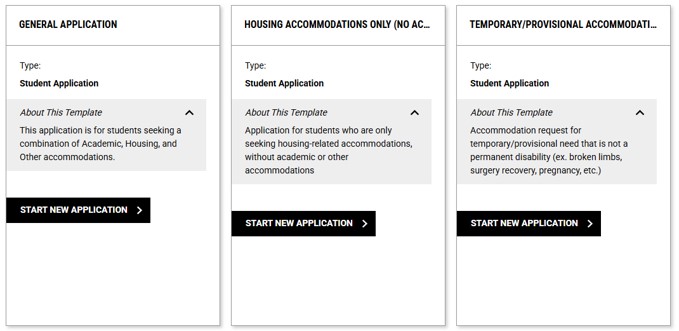
- Register with our office using the application in AIM - available through the "Accommodation" tile in TechWeb. Student will need their Oregon Tech credentials to initiate the process.
- Attach documentation to their AIM application - the documentation requirement can vary depending on the student's accommodation request. We invite and encourage questions about documentation and what we need to evaluate the request. We do not want documentation availability to be a barrier! If you have limited or no documentation, we still invite you to initiate our process so we can provide guidance on what supports may be available. Please note that without sufficient documentation, there may be delays in the consideration and possible approval of some accommodation requests.
- Schedule appointment with staff member - once we have received your application, we will contact you with a link to schedule an appointment with our staff to discuss accommodation. Our staff is available to meet in-person (campus specific), as well as virtually through Video Call or by phone. Students do not have to be on campus to meet with our office.
Guidelines for Required Documentation
Documentation must include the following components:
- Completed by a licensed or credentialed professional that is not related to the student
- Describes the impact of the disability in the academic and/or housing environment
- Describes the functional limitations of the disability and the specifics it has in the academic and/or housing environment
- A description of the expected duration, frequency, severity, and progression of the condition (if applicable)
- A description of accommodation utilized in the past
Examples of Documentation may include:
- Educational, psychological, or medical records from a qualified provider with whom the student has an established relationship.
- Reports and assessments created by healthcare providers and psychologists. Supplemental documentation may include 504 plans and IEPs, but additional documents may be required.
- Documents that reflect education and accommodation history, such as Audiology Reports and Vision Assessments.
- Statement from a healthcare or other service professional.
For more information, you can read our Documentation Policy if you visit our Policies & Procedures page.
Accommodation for Fall 2026
If you are wanting to explore academic accommodation for the upcoming academic year (beginning Fall 2026), we recommend initiating the process in July or August.
The closer we get towards the start of the Fall Term (September 30, 2026), the less time we will have available, and it may impact our ability to provide accommodation prior to the start of the Fall Term.
The housing deadline provided by the Housing & Residence Life (HRL) office was May 1, 2026; approved housing accommodation after May 1 are automatically added to the Housing Waitlist, managed by the HRL office.